Run your entire golf event from a single Windows application.
Registrations, player queues, scoring, live leaderboards, sponsor displays, guest photos, and final results — without paper sheets, whiteboards, or disconnected apps.

CONTROL THE EVENT EXPERIENCE
Drive broadcast displays, sponsor content, guest photos, announcements, and spectator-facing results.
KEEP THE OPERATOR IN CONTROL
Manage the event from one Windows PC instead of juggling spreadsheets, paper scorecards, browser tabs, and separate apps.
RUN THE COMPETITION
Handle registration, divisions, contest scoring, attempts, queues, live standings, ties, and winners.
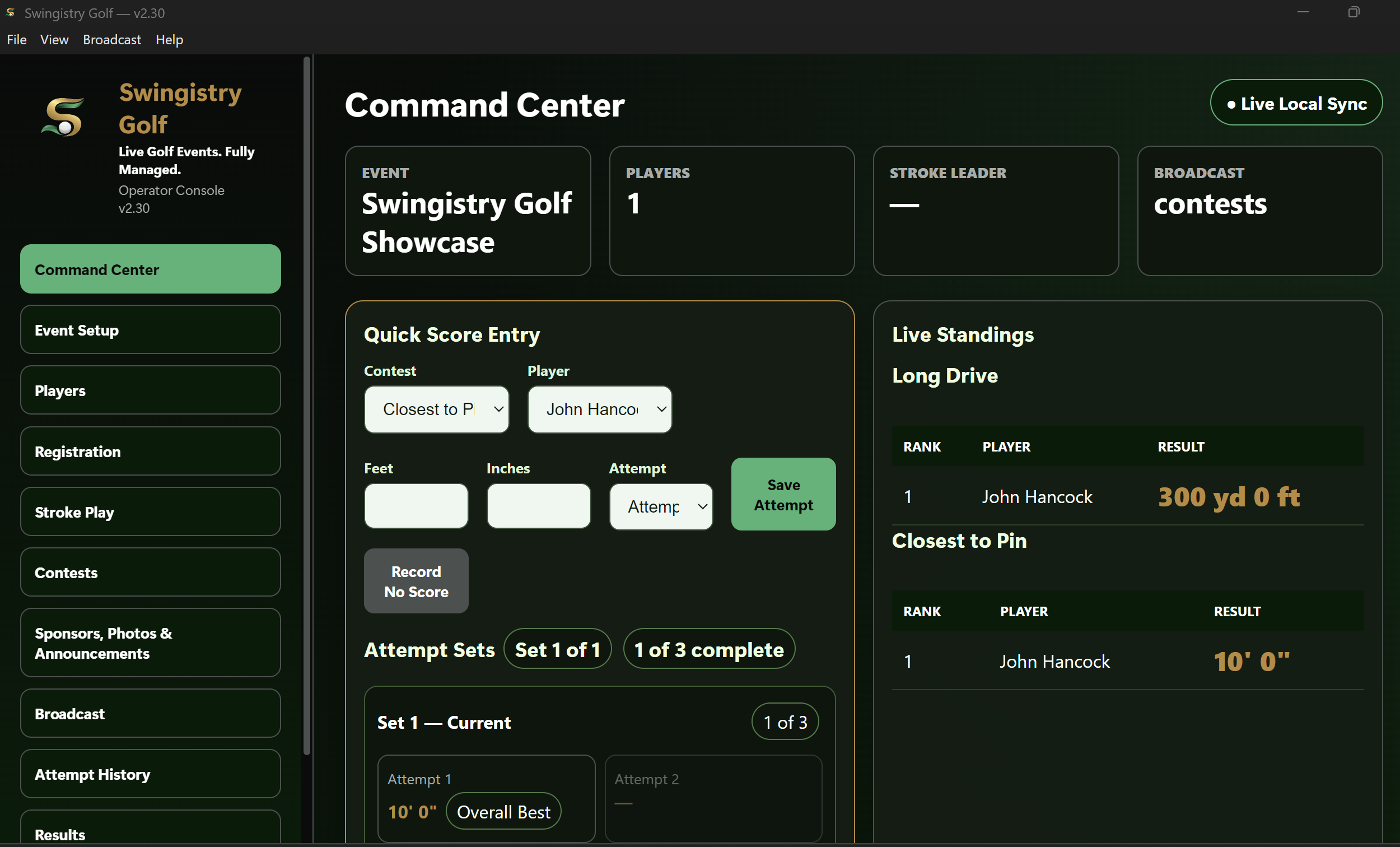
Run the event from one console
Manage scoring, attempts, standings, player flow, and event operations from the Swingistry Golf Command Center.
SEE SWINGISTRY IN ACTION
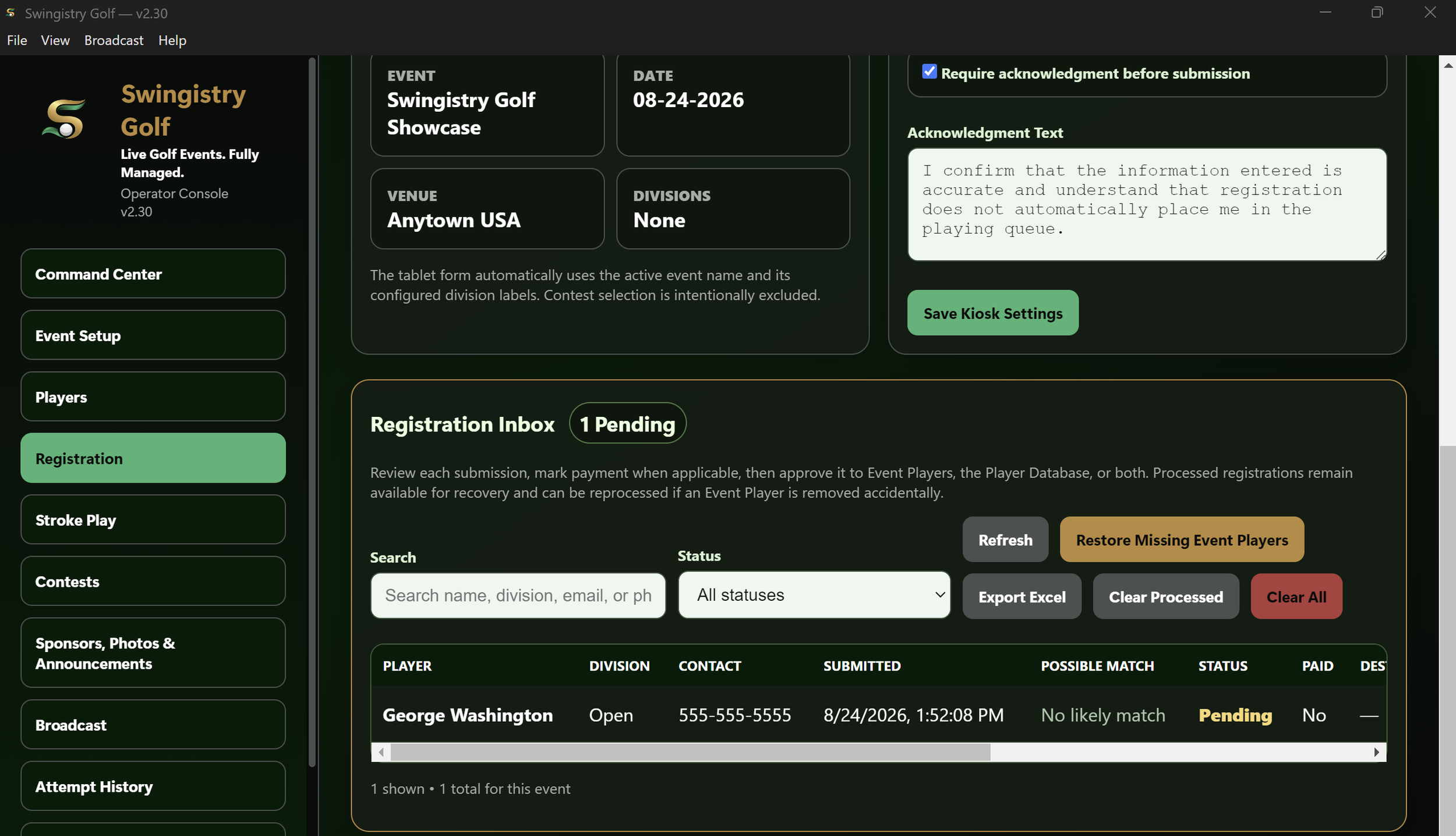
Turn registrations into an organized event workflow
Review incoming registrations, approve players, track status, recover records, and manage participants from one place.
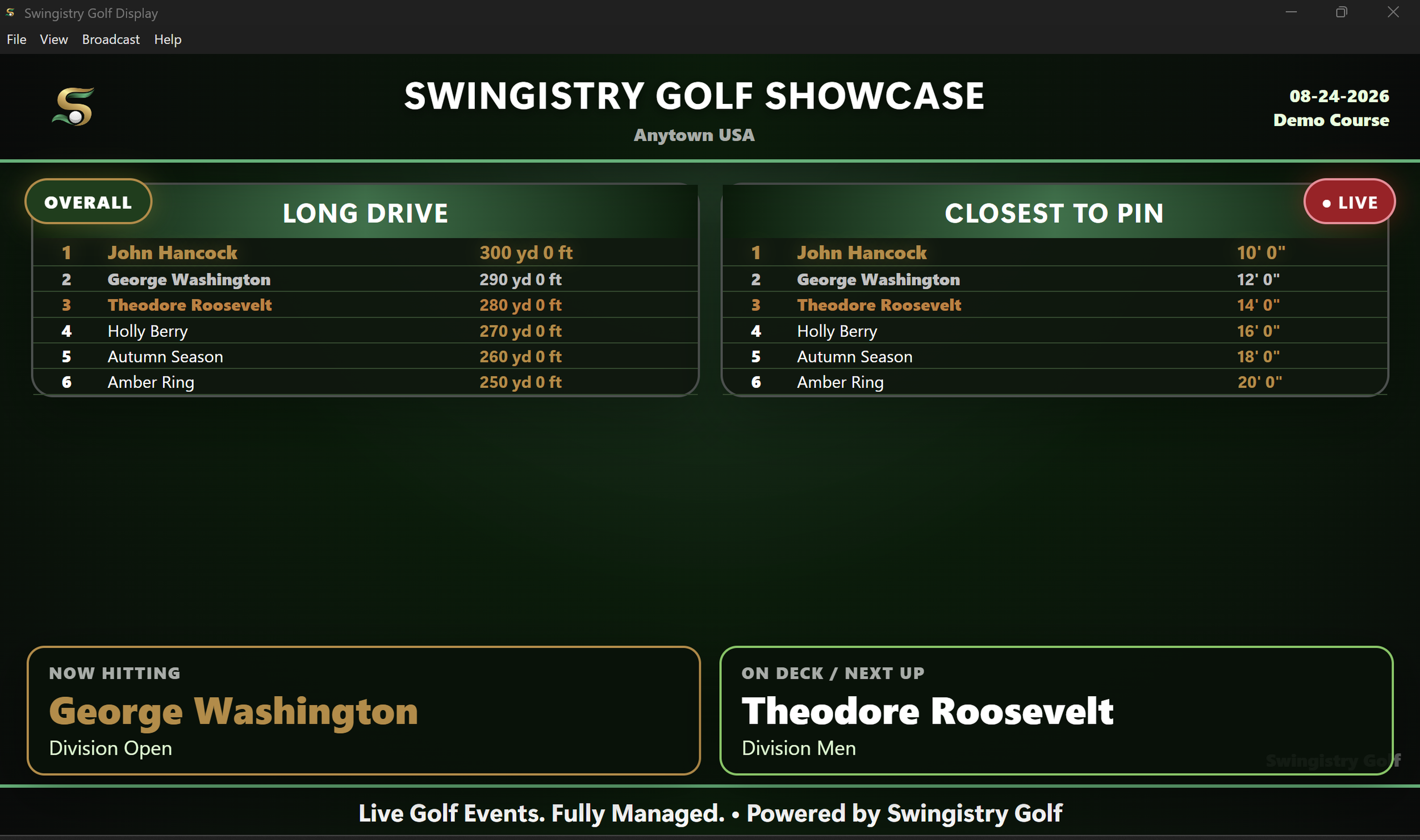
Give spectators live results
Show contest standings, the current player, who's on deck, event branding, and live updates on a dedicated broadcast display.
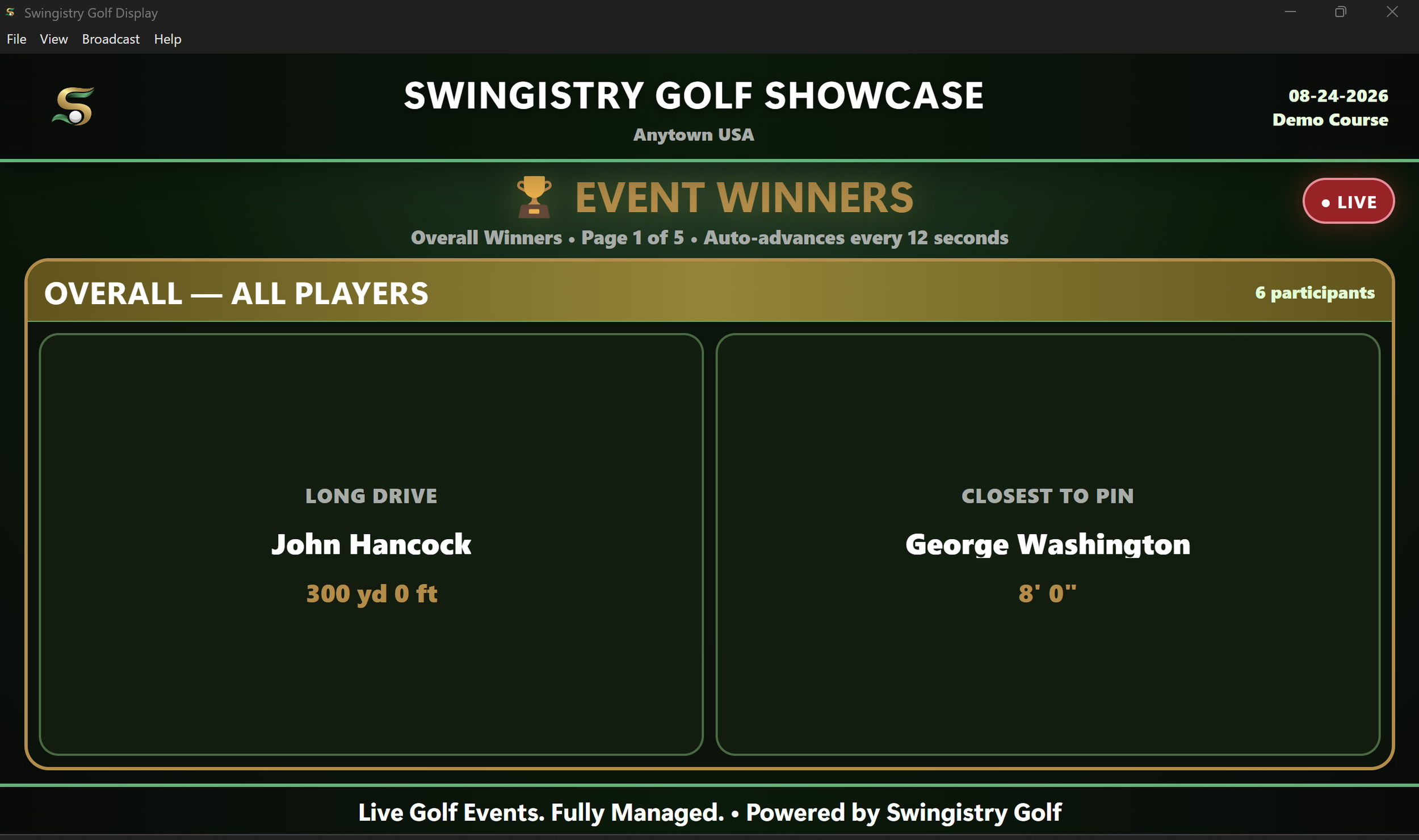
Finish the event professionally
Present overall and division winners automatically with polished spectator-facing results.
Which plan is right for you?
Operator
For single-rig operators running Swingistry on one active event computer.
Pro
For operators running multiple rigs, multiple event PCs, or a larger operation requiring up to 3 active PCs.
Operator
$39/month or $399/year
Save $69 Annually
1 active PC
Unlimited events and players
All Swingistry features
Software updates included
Need to move to a different computer? Deactivate the current PC, then activate the replacement PC.
Billing & Licensing
$10 one-time setup fee charged at initial checkout. Applicable taxes may be added at checkout. Monthly and annual subscriptions renew automatically unless canceled. Operator includes 1 active PC. Pro includes up to 3 active PCs.
Pro
$69/month or $699/year
Save $129 Annually
Up to 3 active PCs
Everything in Operator
Priority support
Built for multi-rig operators
Need more than 3 active PCs?
For multi-location operations, larger fleets, or custom deployment needs:
CONTACT US FOR CUSTOM LICENSING
Built for Windows event operations
System requirements
Windows 10 or Windows 11, 64-bit
A valid Swingistry Golf subscription and license key are required for activation
Internet connection required for initial activation and periodic subscription verification
Designed for supported Windows event PCs and laptops
No dedicated server required
Event Networking
For registration kiosks and local event-device connectivity, Swingistry Golf is designed and tested with the GL.iNet Opal portable router. Using the recommended router provides the configuration documented in the Swingistry setup guides.
Swingistry Golf is digitally signed by Boomers Greens LLC and distributed as a professionally installed Windows application.
Developed and supported by Boomers Greens LLC
Swingistry Golf is built for mobile golf simulator operators who need a professional way to manage registration, scoring, leaderboards, sponsor content, guest photos, and event operations.
Subscription & Support
Monthly and annual plans include software access, license activation, updates, and support. Subscriptions renew automatically unless canceled.
Support: support@boomersgreens.com
LEGAL & POLICIES
By purchasing, subscribing to, or using Swingistry Golf, you agree to the applicable software license, service, subscription, and privacy terms.